How to Digitize Occupational Safety Without Digitizing Chaos?
We look at which digital tools genuinely simplify occupational safety at a company, where to start, and where “digitization” is just a nice word in a slide deck.
Summarize this article with AI:
“What is written with a pen cannot be cut out even with an axe” (meaning: what is put on paper stays there for good) — Ukrainian proverb
Monday, 9:00 a.m. The new hire is already at the door. The briefing log is sitting in another office, the occupational safety engineer will only arrive on Thursday, and a colleague working remotely from another city has never even seen that log. Sound familiar?
The pen is mighty, of course. But only until the log gets lost, soaked, or ends up 500 kilometers away from the person who was supposed to sign it.
What Is Occupational Safety Digitization, in Plain Words
The official definition goes like this: moving occupational safety processes (briefings, logs, knowledge checks, inspection walk-throughs) into an electronic format where every action is recorded with a date, time, and signature. In plain words: you remove paper where it gets in the way the most.
An important point: digitization does not mean “buying one big program that does everything.” In practice it is a handful of separate tools, each solving its own task. Some pay for themselves within the first month. Others, for most small and mid-sized businesses, still look like a spaceship for a trip to the supermarket.
Let’s take it step by step.
Why the Paper Log No Longer Keeps Up with Business
Problem one: tied to a place. A paper log exists in a single copy. You cannot sign it remotely, you cannot view it from a branch office, and it is very easy to lose or spill coffee on. For companies with several offices, shift schedules, or remote employees, it is a daily quest.
Problem two: newcomers. HR wants the person to start working on day one. But Article 18 of the Law of Ukraine “On Occupational Safety” (Pro okhoronu pratsi) says it plainly: employees, both when they are hired and during their employment, must undergo, at the employer’s expense, briefing and training on occupational safety, on first aid for victims of workplace accidents, and on how to act in the event of an emergency. In other words, a person cannot be allowed to work without introductory and initial briefings. So there are only two options:
- the newcomer sits and waits for the engineer;
- the briefing is “paperworked later.”
The second option looks convenient right up until the first workplace accident. After that, the question “where is the signature for the briefing?” becomes very specific and very personal for the manager. And we are no longer talking about an administrative fine for an official under Article 41 of the Code of Administrative Offenses, but about far more serious consequences, up to criminal liability.
We admit it honestly: an electronic log will not make people more conscientious. But it records on its own who signed what, and when. And you cannot add such an entry retroactively.
Step 1: An Electronic Briefing Log
The easiest place to start is with the logs. Keeping them electronically is perfectly legal: it is provided for by the Procedure for Electronic Document Flow in Occupational Safety, approved by Ministry of Economy Order No. 839-21 of 28.10.2021. The main conditions are:
- the company has formalized the switch to electronic documents by an order;
- the employee signs the log with a qualified electronic signature (QES);
- the records are stored securely and can be shown during an inspection.
Worth noting: this is the step we started with at RACIO too. We built a briefing portal where logs are signed through a partner Ukrainian electronic document management platform. For the employee, the process looks like this:
- A link to the portal arrives by email.
- The employee opens the occupational safety instructions on a phone or computer.
- Takes a short comprehension test.
- Scans a QR code and signs the logs via Diia.Pidpys (Diia e-signature), just as in any other government service.
See how it looks live, from the email to the signature in Diia, in a short demo:
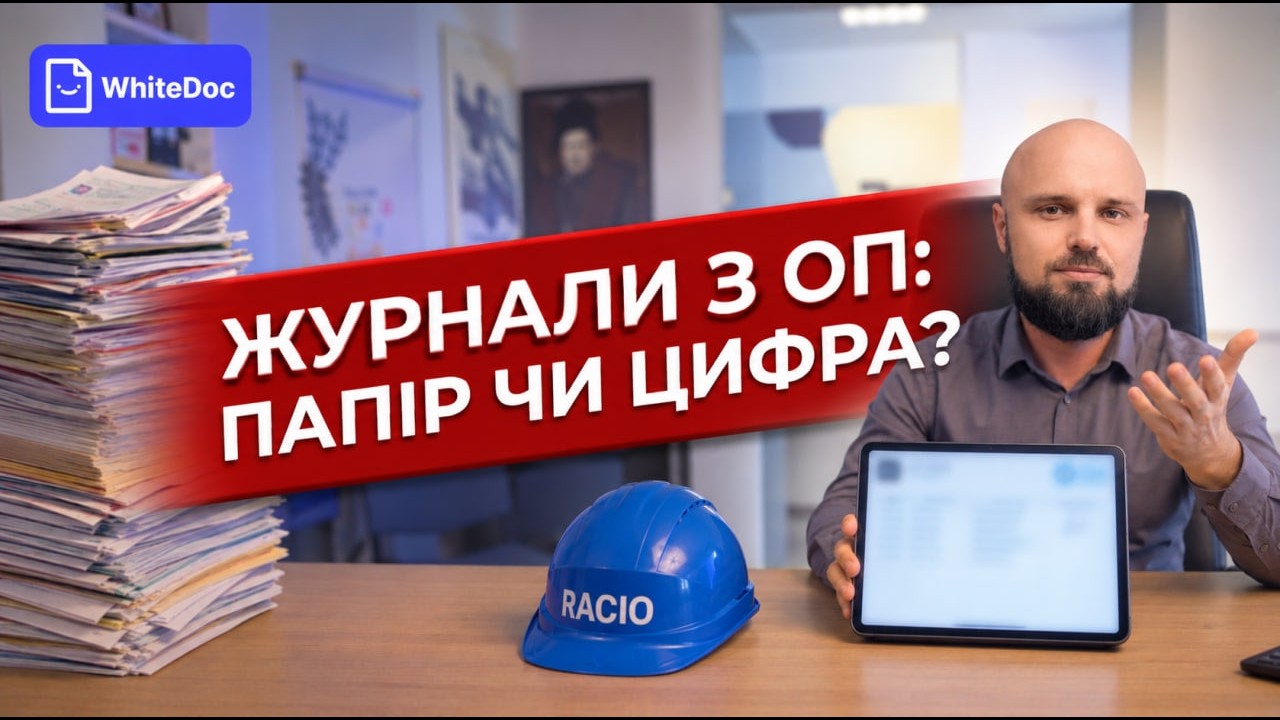
No separate apps, no integration with your IT systems. The person already has Diia, and nothing else is needed. Records are stored on secure servers in Europe.
Right now the portal works with the package of briefings given at hiring: introductory, initial, fire safety, and electrical safety. Four logs are signed in two batches, so the whole thing takes a few minutes.
What this gives everyone in the company:
- HR onboards a newcomer on day one, even if he or she is in another city. Nobody travels anywhere “just to sign a log.”
- The occupational safety engineer sees all signatures in one place, as well as those who have not yet completed the briefing.
- The manager has documentary proof that the briefing was delivered on time. If something happens, this is what matters.
Other Digital Occupational Safety Tools: What Works and What Doesn’t
Electronic logs are only the ground floor. Beyond them are checklists, online training, and “smart” sensors. Let’s compare them soberly:
| Tool | What it gives | Where the limit is | Who it suits |
|---|---|---|---|
| Electronic briefing logs | Fast processing, signing from a phone, protection against backdating | Requires an order on the switch, a QES, and secure storage | Practically everyone, especially with branches and remote employees |
| Mobile checklists and walk-throughs | A photo of the violation on the spot, a report to the manager the same day | Records only what the person decided to check | Production sites, warehouses, retail chains |
| Online training and testing | Lower travel costs, results recorded automatically | Answers are easy to peek at, and it does not replace practice | Companies with several offices |
| Gas sensors, fall trackers, PPE video analytics | Real-time risk control | Expensive to implement and maintain | Large production sites with real injury risks |
A few clarifications on the table.
Checklists. A formal walk-through with a digital checklist is still a formal walk-through, it is just on a screen now. A quality inspection of workplaces relies on a person’s experience, not on a convenient interface. That is why a full occupational safety audit is still carried out by an engineer who knows where to look.
Online tests. For them to test knowledge rather than the ability to google fast, the very design of the test matters: random question order, a time limit, questions that check understanding instead of cramming. And skills like evacuation or putting out a fire with an extinguisher are practiced with hands and feet at live trainings. A fire extinguisher in a browser has not saved anyone yet.
Sensors. For an office, a store, or a small warehouse this is usually overkill: implementation and maintenance cost more than the system actually reduces risk. Before buying, work out exactly what it is supposed to protect you from.
Why Hasn’t There Been a Mass Switch to Electronic Document Flow?
Electronic document flow in occupational safety was permitted back in 2021. The Procedure is not mandatory: the employer switches to it voluntarily and by its own order. A logical question: why, then, do most companies still flip through paper logs?
In our opinion, two points in the regulation itself are holding things back.
A QES for everyone without exception. Clause 5 of the Procedure requires a qualified signature from everyone who signs a document, from the director signing an order to the worker confirming a briefing. The QES itself is free, but the certificate has to be reissued, not everyone has a smartphone, and a crew at a site often has no connection. We propose a proportionate approach: keep the QES for the employer, the instructor, and the knowledge-check commission, and allow the employee an advanced or simple signature as well, with clear evidentiary requirements.
Forms designed for paper. A QES is applied to a finished file. But most forms under the NPAOP (the regulatory acts on occupational safety) are tables that different people fill in at different times. With the briefing log we solved this: each entry became a separate document with its own signature. That will not work for a work permit, because the signatures in it refer to one another. There, the form itself will have to be rewritten.
There is one more argument that is rarely mentioned. The qualified timestamp is applied by an external trust service provider, so “backdating” is impossible even with the strongest desire. A paper log has no such protection. And this benefits not only businesses but also the supervisory authorities.
We presented this position on September 15, 2026, at the round table “Digitization of Occupational Safety: An Open Dialogue between Business and the State,” attended by the State Labour Service (Derzhpratsi) and the Ministry of Economy and Environment of Ukraine. We proposed setting up a joint business-government working group and are ready to join it free of charge with our expertise.
Typical Digitization Mistakes We See in Practice
- Digitizing chaos. If paper documents are outdated or incomplete, the electronic version will simply carry the same holes into a new format. Only now in the cloud and with a pretty icon.
- Forgetting about people. A complicated interface, five passwords, and ten steps, and employees quietly go back to paper. The fewer the steps, the better.
- Confusing a checkbox with a signature. A tick in an ordinary online form is not a signature. Without a QES and proper storage, an electronic log has no evidentiary force.
- Rolling everything out at once. Get one process fully working first, then expand.
Where to Start Digitizing Occupational Safety: A Step-by-Step Plan
It is simple. Following the Racio Safety Standard approach (only what is needed, nothing extra), we recommend this sequence:
Step 1. Check whether your occupational safety documentation is up to date. If the instructions were written for different equipment and a different staff, update them first: developing occupational safety documentation tailored to your specific company handles this task.
Step 2. Digitize the briefing logs used at hiring. This delivers the fastest and most visible result.
Step 3. Only after that, add checklists, online training, and other tools.
If you have no in-house engineer, RACIO’s occupational safety outsourcing covers the task end to end: our team runs the system, and briefings go through the portal with an electronic signature.
Frequently Asked Questions
Is it mandatory to switch to electronic briefing logs?
No. It is the company’s right, not an obligation. Paper logs remain lawful.
Does an electronic log have legal force during an inspection?
Yes, provided the switch was formalized by an order under Procedure No. 839-21, the employee signed the log with a QES, and the records, together with the evidence of signing, can be exported for the inspector.
Can a briefing log be signed from a phone?
Yes. The employee opens the link, reads the instructions, takes the test, and signs via Diia.Pidpys (Diia e-signature). No separate app is needed.
Will a digital tool replace an occupational safety engineer?
No. Technology speeds up paperwork and recording. But instructions, hazard assessment, and on-site control are still done by a specialist.
Conclusion
Digitizing occupational safety is not one expensive program but a few simple steps in the right order. Start by reviewing your documents, then move the hiring briefing logs to an electronic format. Add the rest once the first process really works.
You saw how this works for the employee in the video above. If you would like to see the briefing portal using your own company as an example, get in touch: we will show it at a free consultation as part of occupational safety outsourcing, with no obligations.

Let’s discuss
your project
Leave your contacts — a RACIO engineer will call and answer your questions.